
Ask an underwriter where they spend the first half hour of a new excess-casualty submission and the honest answer is rarely underwriting. It is transcription. Open the broker’s email, open the ACORD 125, open the ACORD 131, open the statement of values, open the five-year loss run, and copy the same twenty facts into the workstation by hand — named insured, umbrella limits, the underlying schedule, total insured value, the loss summary. Thirty minutes of clerical work before a single underwriting judgment is made.
The instinct is to bolt on an extraction tool. But a tool the underwriter has to leave their desk for is a tool they will use inconsistently, and a screen they have to reconcile against the source by eye is a screen they will not trust. The better answer is to bring the agent to them. InsightXtract exposes the submission extraction agent as a versioned Extraction API, so your underwriting workstation can invoke it directly and render the result as a native panel — fields already filled, values already validated, every number clickable back to the exact spot on the ACORD it came from.
The underwriter never leaves their desk. The submission is simply there, already read.
How the submission gets to the desk
The flow is deliberately boring, because boring is what makes it reliable. A broker email lands in the intake mailbox. Your intake process — a mailbox connector, a drop folder, or a manual upload — hands the documents to the Extraction API. The API runs the pinned agent version, shapes the result to a fixed output contract, and returns it to the workstation, which renders it as a review panel. The underwriter accepts what is right, edits what is not, and the corrections flow back.
sequenceDiagram
    participant B as Broker email
    participant I as Intake
    participant API as Extraction API
(agent vX / contract v2)
    participant W as UW workstation panel
    participant U as Underwriter
    B->>I: Submission arrives
(email + ACORDs + SOV + loss run)
    I->>API: POST /extract  (scoped API key)
    API->>API: Run agent vX,
shape to output contract v2
    API-->>W: Fields + bounding-box citations
+ per-field confidence
    W->>U: Render pre-read panel
at the desk
    U->>W: Click a value → see it on the ACORD
    U->>W: Accept high-confidence,
review low-confidence inline
    W-->>API: Corrections (feedback signal)
Two design choices in that diagram do the heavy lifting: the scoped API key that governs how the agent is invoked, and the output contract that governs what comes back. Get those right and the workstation integration stays stable for years. Get them wrong and you are rebuilding your UI every time the model changes.
Invoke the agent through a versioned API and a scoped key
The workstation does not talk to a model. It talks to a named agent through a stable endpoint, and it authenticates with an API key scoped to exactly that agent and nothing else. The key carries permissions — which project it can reach, which agent versions it may call, that it may submit documents and read results but not edit the agent’s configuration. If the key leaks, the blast radius is one integration’s worth of extraction, not your whole tenant.
Pinning the version matters just as much. The workstation calls a specific agent version, so a promotion elsewhere in the platform never silently changes what the desk sees. When a new version is ready, you point the integration at it deliberately, after you have seen it pass validation — not because it shipped underneath you on a Tuesday.
The output contract: why your UI never breaks on a model update
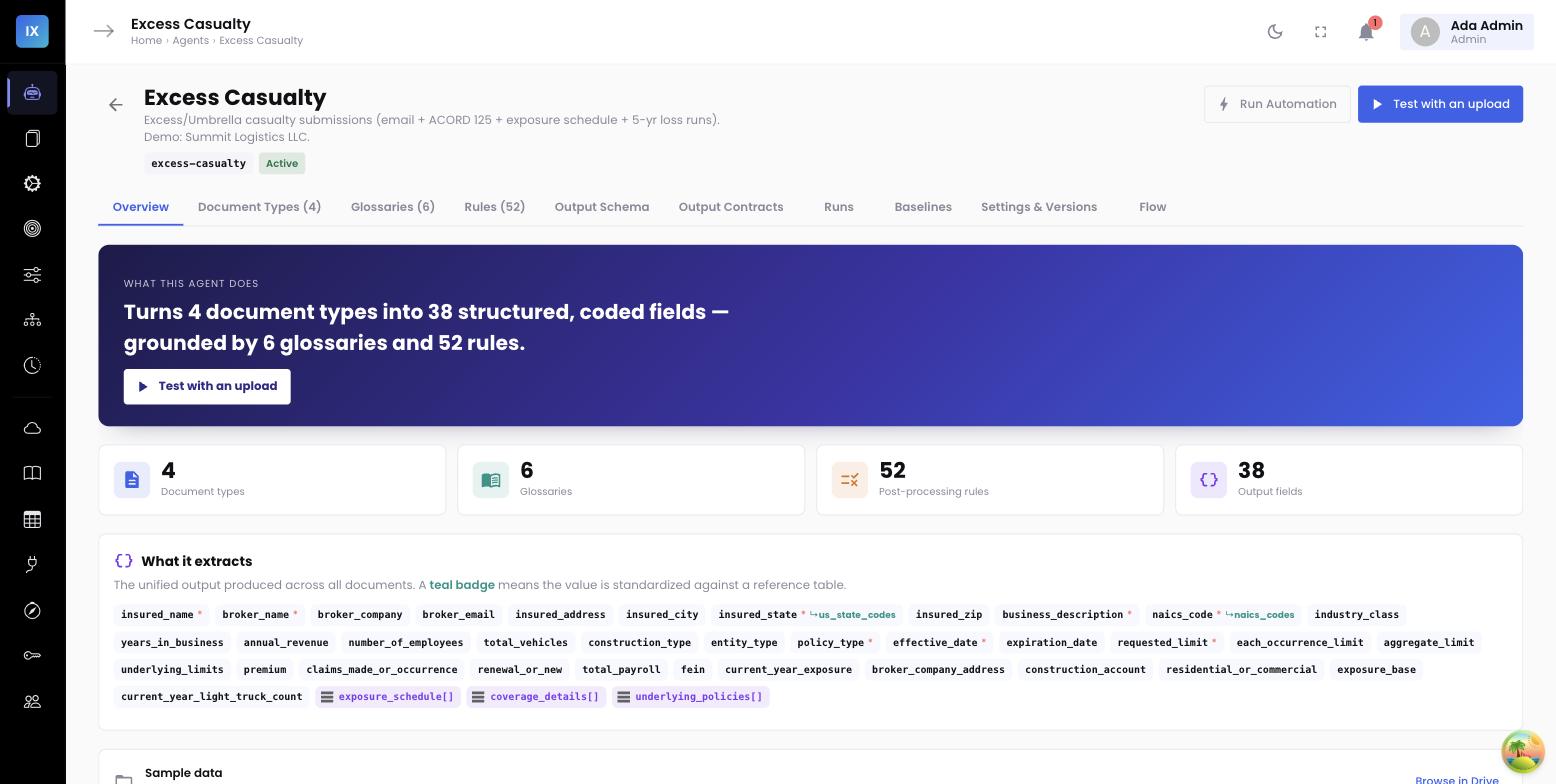
Here is the failure mode that kills most extraction integrations. Version one of the agent returns total_insured_value as a string. A model update returns it as a formatted string with a currency symbol. The workstation, which was parsing a bare number, silently shows the wrong TIV. Now nobody trusts the panel.
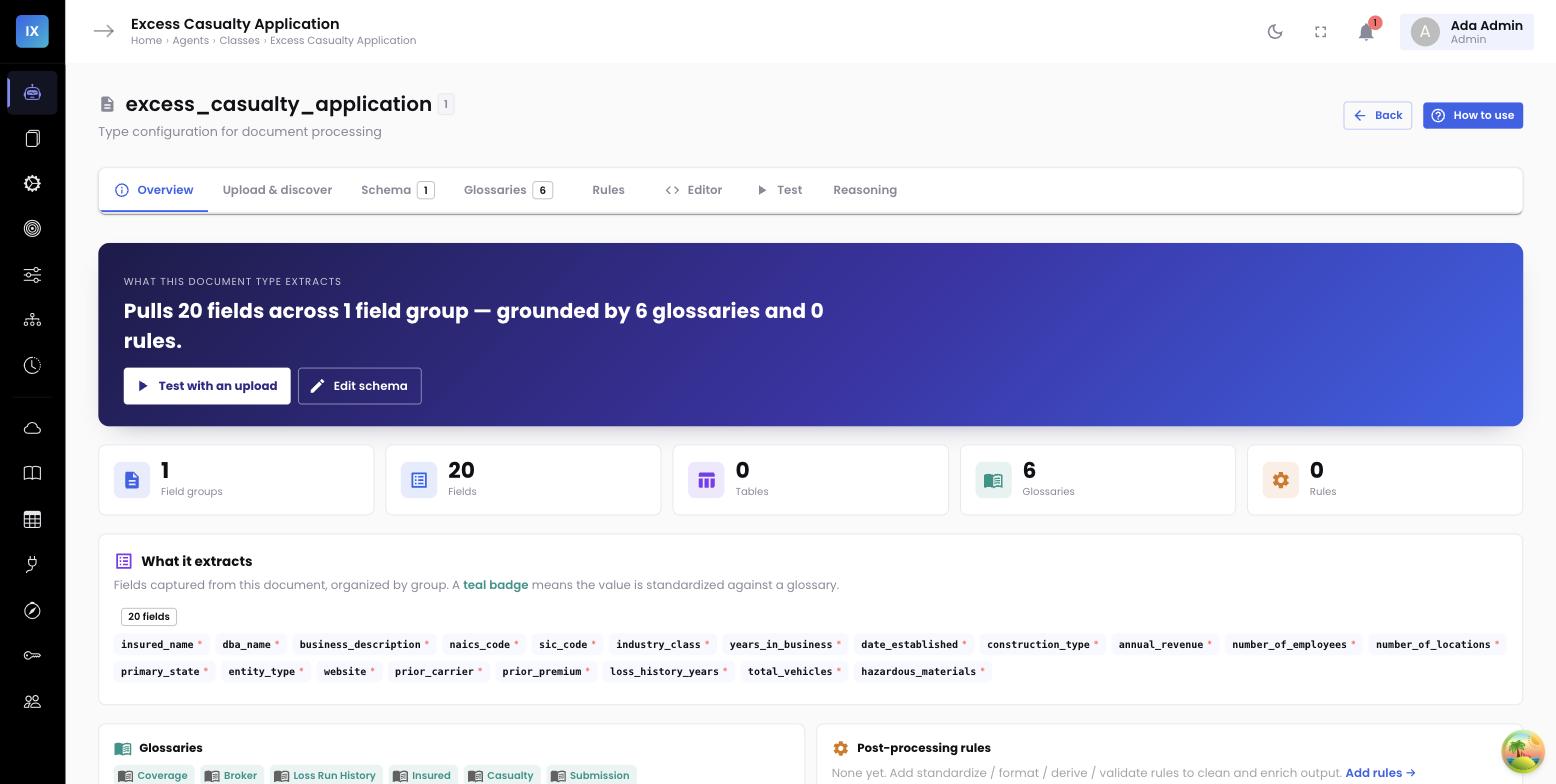
InsightXtract prevents this with an output contract — a versioned schema that the agent’s output must conform to before the API returns it. The contract declares every field name, its type, its shape, and the structure of every table. The agent may get smarter about how it finds the underlying limits schedule; it may never change the shape in which it hands that schedule back, unless you cut a new contract version on purpose. The workstation binds to contract v2 and can rely on it exactly like an API response type.
Model updates behind a stable surface
The agent version and the output contract version move independently. You can promote a smarter agent behind the same contract v2 and the workstation code does not change a line. The UI binds to the contract, not to the model.
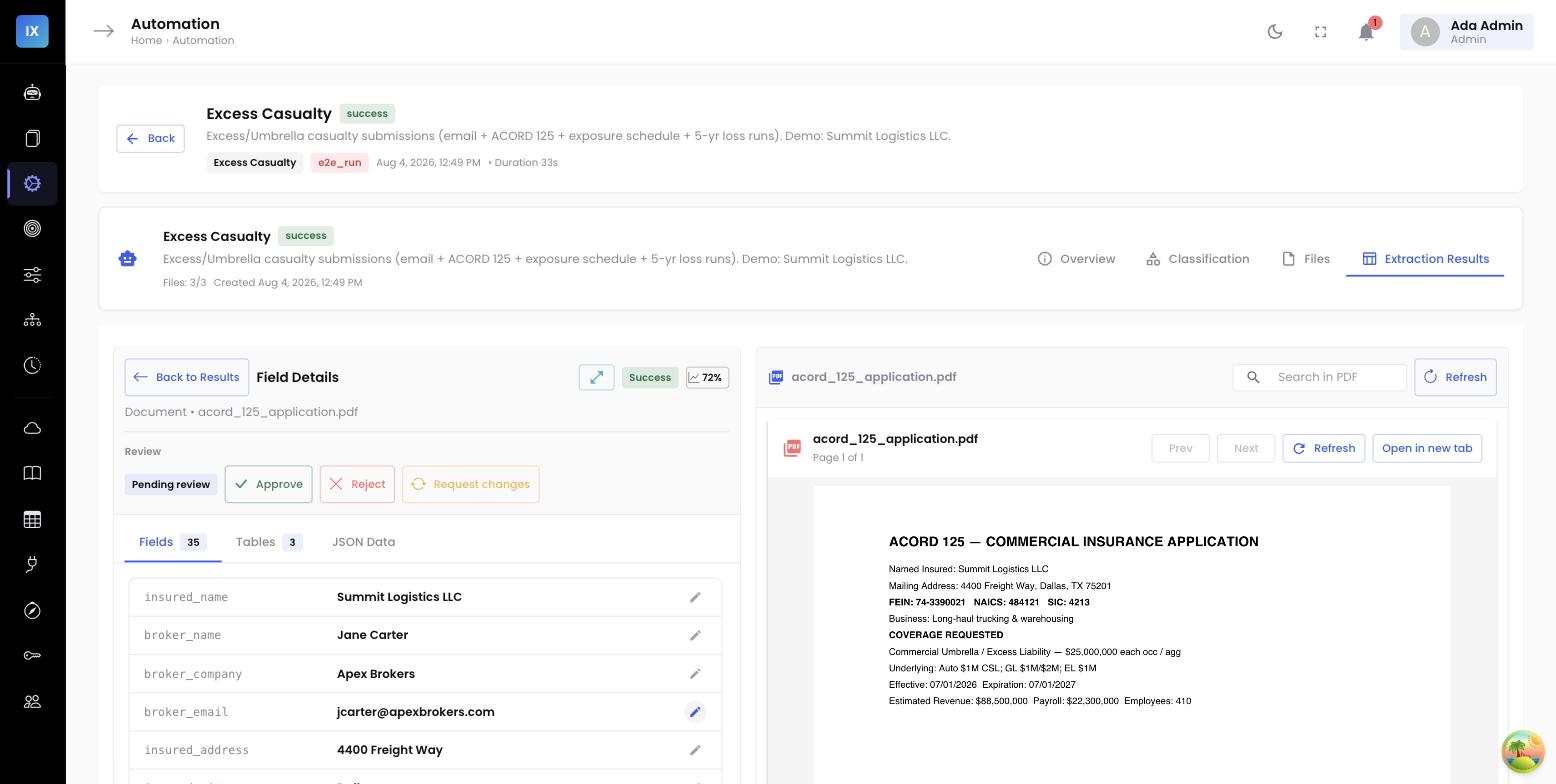
Fields with clickable bounding-box citations
A number an underwriter cannot verify is a number an underwriter will re-key by hand — which defeats the entire point. So every value the agent returns carries a citation: the source document, the page, and the bounding box on that page where the value was read. The workstation renders each field as a clickable element. Click the umbrella_limit of $25,000,000 and the panel opens the ACORD 131 to the right page and highlights the exact box where the limit sits. Verification takes a glance, not a re-read.
This is what converts a pre-filled form from a liability into an accelerant. The underwriter is not trusting a black box; they are spot-checking a claim with the receipt attached. On a clean submission they confirm a handful of high-stakes values by clicking through to the source and accept the rest. The thirty-minute transcription becomes a two-minute review.
Low-confidence fields flip to an inline review action
Not every field is clean. A smudged fax of a loss run, an ambiguous handwritten limit, a total premium quoted two different ways — these deserve a human decision, and the workstation should ask for one plainly. Each field the API returns carries a confidence. High-confidence fields render as settled values the underwriter can accept at a glance. Low-confidence fields render differently: flagged, and turned into an inline review action right where the field sits.
The underwriter does not go hunting for what needs attention — the panel routes their eye to it. A low-confidence total_premium shows the candidate value, the citation to check it against, and an inline control to confirm or correct without leaving the panel. Attention lands exactly where judgment is needed and nowhere it is not. That is the difference between review that feels like proofreading a robot and review that feels like underwriting.
A worked excess-casualty example
Consider a real submission on the desk: Summit Logistics, a national trucking and warehousing operation, up for an excess-casualty renewal. Five documents come in on the broker’s email — the cover email, an ACORD 125, an ACORD 131, a statement of values, and a five-year loss run.
By the time the underwriter opens the account, the workstation panel already shows:
- Named insured — Summit Logistics, Inc., cited to the ACORD 131 applicant block (not the producer name in the top-right, which the agent is instructed to ignore).
- Umbrella / excess limits — $25M each occurrence, $25M aggregate, cited to the ACORD 131 limits section.
- Underlying schedule — the primary GL, auto liability, and employers’ liability limits laid out as a table, each row cited to its line on the form.
- Five-year loss summary — paid, reserved, and incurred by policy year, read from the loss run and totaled.
- Total insured value — aggregated from the statement of values, with the property schedule available behind the figure.
Four of these arrive high-confidence and the underwriter confirms them with a click-through each. One field — a total premium the broker email quoted as a target while the ACORD stated an annual figure — comes back flagged, with an inline review action to pick the governing value. The underwriter resolves it, accepts the submission, and moves to the actual work of pricing and appetite. Elapsed review time: roughly two minutes, against the thirty the same account used to cost.
How one agent orchestrates five documents →
That clean, consolidated panel came from five different documents, each handled by a different configured agent. The companion post covers the agent that runs other agents — classification, per-document extraction, and consolidation by source-role priority.
Why this shape wins for leadership and architects
- Adoption follows the workflow. Extraction inside the workstation gets used every time because there is nothing extra to open. A separate portal gets used when someone remembers.
- Trust is built in, not asserted. Bounding-box citations mean the underwriter verifies rather than believes — which is exactly why they are willing to accept the pre-fill.
- The integration is durable. Pinned agent versions plus a versioned output contract mean model improvements ship without UI rework and without surprise.
- The security surface is small. A scoped API key limits each integration to one agent, one project, read-and-submit — the least privilege an IT architect will actually sign off on.
The submission does not need to become a project the underwriter manages. It needs to arrive already read, already checked, already cited — on the desk they never left. That is the whole idea.