
There is no such thing as a one-document submission. A single excess-casualty account arrives as a bundle: the broker’s cover email, an ACORD 125 with the business detail, an ACORD 131 with the umbrella structure, a statement of values, and a five-year loss run. Each of those is a different animal — different layout, different vocabulary, different rules about what a number means. Trying to read all five with one generic prompt is how you get an SOV total mistaken for a premium and a loss year misread as a limit.
InsightXtract takes the opposite approach. The submission extractor does not try to be an expert in every document type at once. It is an orchestrator — an agent whose job is to figure out what each document is and hand it to the agent that is the expert. Each document type has its own configured agent, with its own glossaries, lookups, prompts, and post-processing rules. The orchestrator classifies, routes, waits for the specialists, and then merges their outputs into a single submission record.
One submission, many documents, the right agent on each — and one consolidated result at the end.
The orchestration, end to end
The pipeline reads left to right: split the envelope into documents, classify each one, route it to its configured document-type agent, extract in parallel, then consolidate everything into one record under a single output contract.
flowchart LR
    S["Submission bundle
(5 documents)"] --> C["Classify
each document"]
    C --> R{"Route by
document type"}
    R --> A1["ACORD-125 agent"]
    R --> A2["ACORD-131 agent"]
    R --> A3["SOV agent"]
    R --> A4["Loss-run agent"]
    R --> A5["Email agent"]
    A1 --> X["Per-doc extract
(own glossaries,
lookups, prompts,
post-processing)"]
    A2 --> X
    A3 --> X
    A4 --> X
    A5 --> X
    X --> M["Consolidate
by source-role priority"]
    M --> O["Output contract
→ one submission JSON"]
Three things make this more than a fan-out-and-collect script: classification that puts each document in front of the right specialist, per-document configuration that lets each specialist be genuinely good at its one job, and consolidation by source-role priority that turns five partial views into one authoritative record. The whole run happens under one submission-agent version, so the result is reproducible.
Step one: classification routes each document
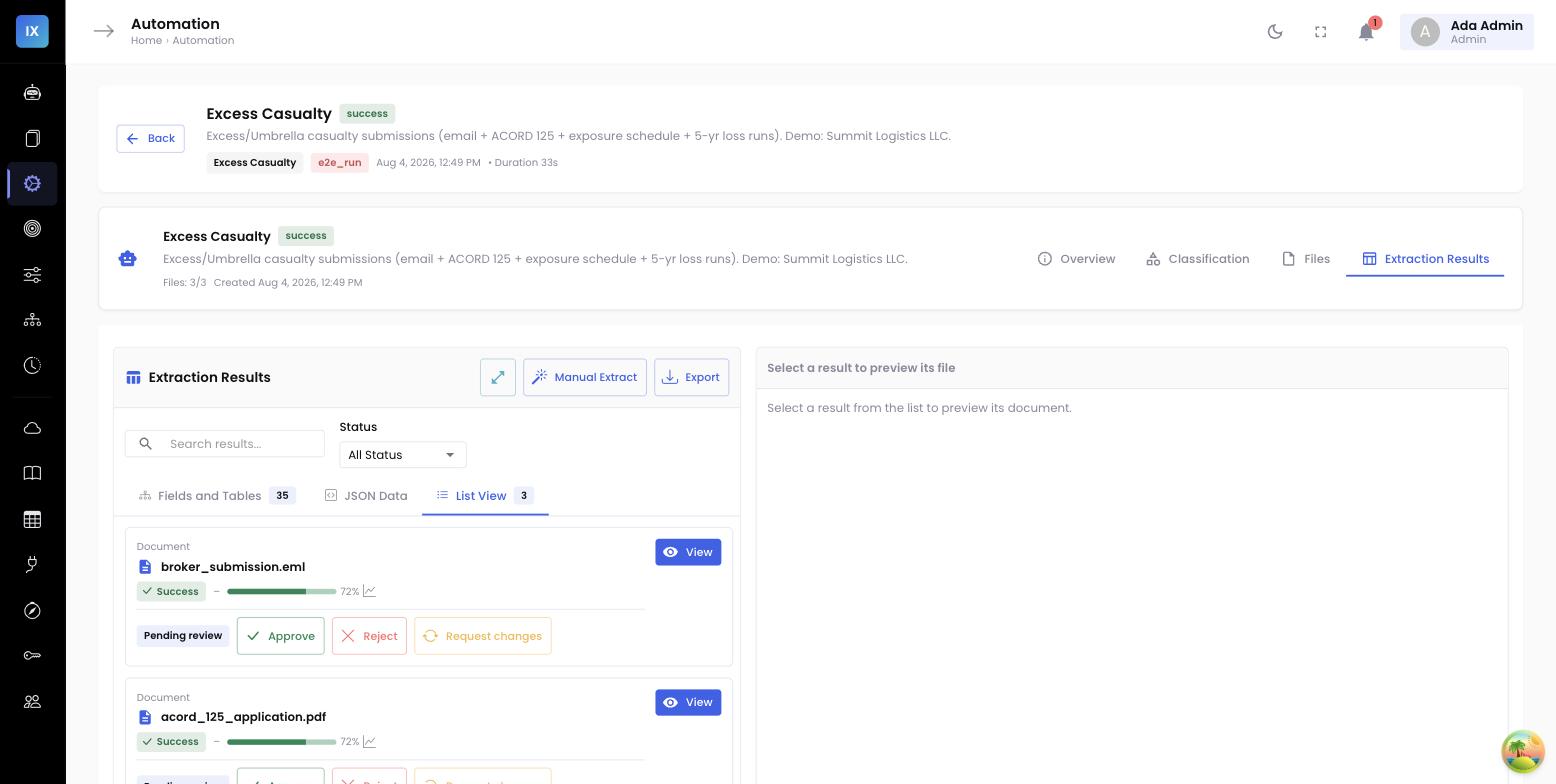
Before anything is extracted, every document in the bundle is classified. The orchestrator inspects each file and assigns it a document type — broker email, ACORD 125, ACORD 131, statement of values, loss run — using layout cues and content, not filenames. That matters, because brokers name files whatever they like; the ACORD 131 might arrive as Renewal_Final_v3.pdf. Classification reads what the document is, not what it is called.
Classification is the routing table for the whole pipeline. Get it right and every downstream field inherits the correct specification. Get it wrong — an ACORD 131 misread as an ACORD 125 — and you extract umbrella structure with a general-application spec, and every field downstream is subtly off. So the Classification tab is a first-class surface: it shows what each document was classified as, the confidence, and lets a solution owner correct a routing decision when the bundle contains something unusual.
Step two: each document gets its own configured agent
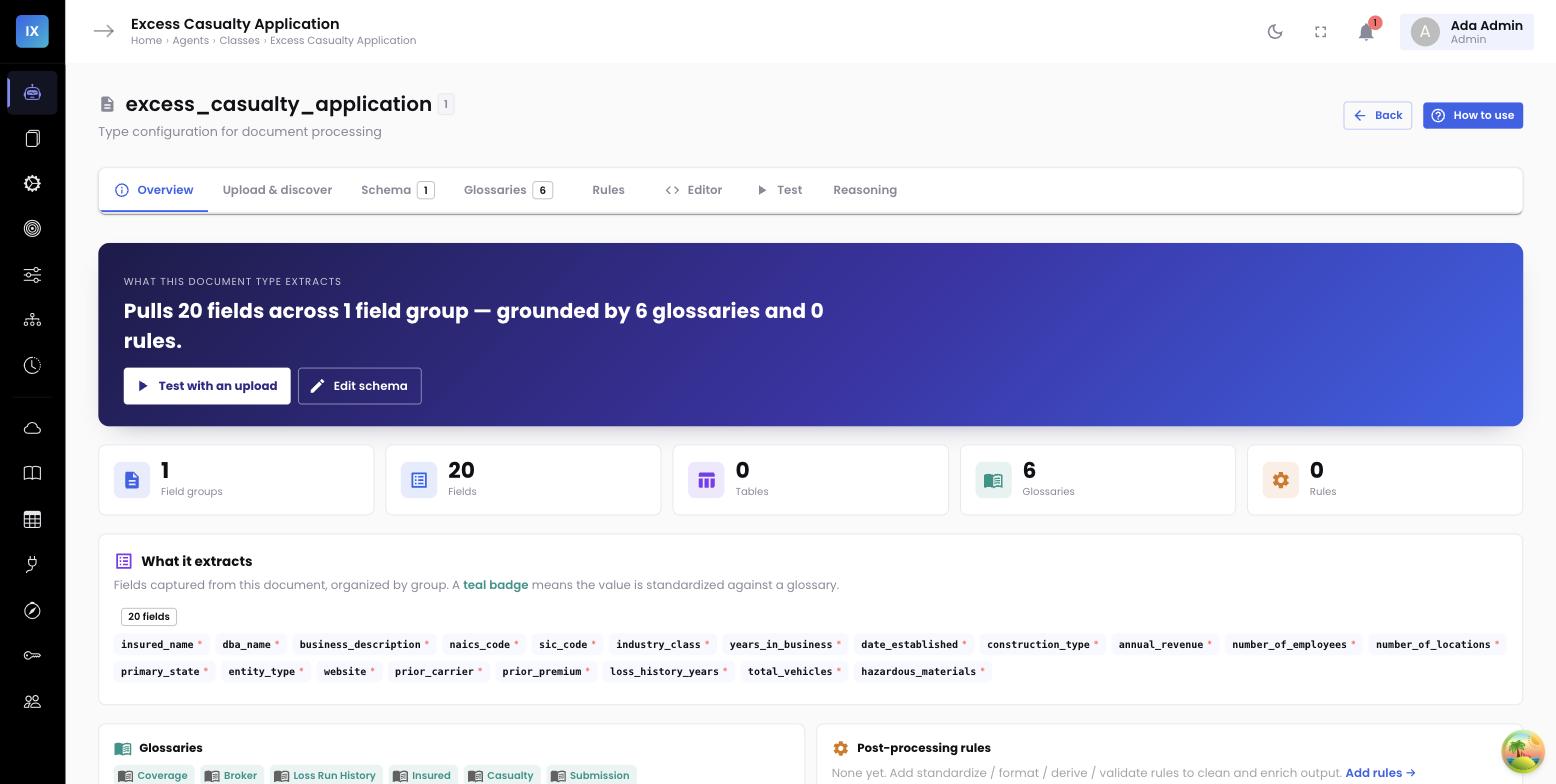
This is where the depth lives. A document-type agent is not just a prompt — it is a full configuration that a solution owner owns and tunes. Each one carries:
- Glossaries — controlled vocabularies that normalize messy source text. The loss-run agent binds a claim-status glossary so “open,” “O,” and “pending” all resolve to one canonical status.
- Lookups — reference tables for standard codes. The ACORD 125 agent uses state-code and NAICS lookups so Illinois and IL reconcile and the business class resolves to a real code.
- Prompts — extraction instructions tuned to that form’s layout. The ACORD 131 agent knows the First Named Insured lives in the applicant block, not the producer block, and where the underlying-limits schedule sits.
- Post-processing rules — deterministic transforms that run after extraction. The SOV agent sums building and contents values into a total insured value; the loss-run agent rolls losses up by policy year.
Because each agent is configured for exactly one document type, it can be genuinely expert at it — and it can be improved without touching the others. Tightening the loss-run agent’s claim-status glossary has zero effect on how the SOV is read. That isolation is what makes the whole system tunable in practice rather than in theory.
Step three: consolidation by source-role priority
Now the five specialists have each produced a partial view, and some of those views overlap. The named insured appears on the email, the ACORD 125, and the ACORD 131. The premium shows up on the broker email and on the ACORD. Overlap is not a problem to be suppressed — it is corroboration, until the values disagree. When they disagree, you need a rule.
InsightXtract consolidates by source-role priority. Every document is assigned a role, and roles carry authority for particular fields. A bound ACORD is authoritative over a broker’s cover email, because the email is pre-negotiation narrative and the ACORD is the form of record. The loss run is authoritative for loss history. The SOV is authoritative for insured values. The consolidation step merges all five outputs into one submission record, and where a field is claimed by more than one source, the higher-priority role wins — while the losing value is retained as provenance, not discarded.
| Field | Sources that reported it | Authoritative role | Consolidated value |
|---|---|---|---|
named_insured | Email, ACORD 125, ACORD 131 | ACORD 131 | Summit Logistics, Inc. |
total_premium | Broker email ($148,000 target), ACORD ($152,500 annual) | ACORD | $152,500 |
umbrella_limit | ACORD 131 | ACORD 131 | $25,000,000 |
total_insured_value | SOV | SOV | $83,400,000 |
5yr_incurred | Loss run | Loss run | $2,140,000 |
Look at the premium row. The broker’s cover email quoted a target premium of $148,000; the ACORD stated an annual premium of $152,500. Left to a generic reader, whichever the model saw last might win — a silent, unauditable coin flip. Under source-role priority, the ACORD governs because it is the bound figure, and the email’s target is kept as context rather than thrown away. The conflict resolves the same way every time, for a reason a solution owner can point to.
Priority is configuration, not code
Source-role priority is part of the submission agent’s configuration. If your shop treats a signed quote as authoritative over the ACORD for premium, you set that — you do not file a change request against a model. The resolution rule is yours to own.
A worked five-part excess-casualty submission
Put it together on Summit Logistics, the national trucking and warehousing account from the bundle above. Five documents come in on one broker email:
- The broker email → email agent extracts the requested effective date, the target premium, and the broker’s narrative on the risk.
- The ACORD 125 → ACORD-125 agent extracts the business detail, the mailing and location addresses (state-code and NAICS lookups applied), and prior carrier.
- The ACORD 131 → ACORD-131 agent extracts the named insured from the applicant block, the umbrella limits, and the underlying-limits schedule.
- The statement of values → SOV agent extracts the property schedule and rolls it into a total insured value of $83.4M.
- The five-year loss run → loss-run agent normalizes claim statuses via glossary and rolls incurred losses up by policy year.
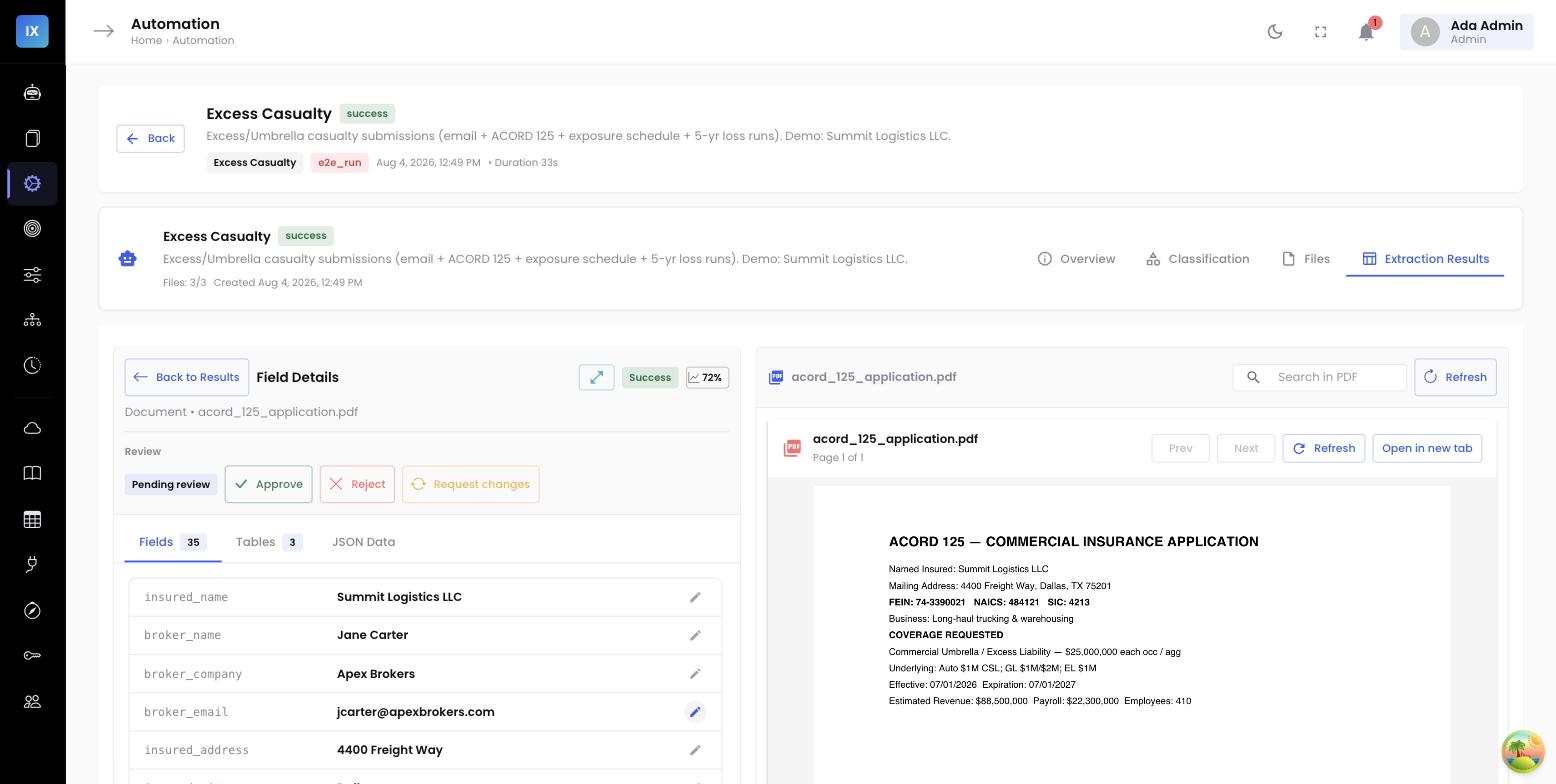
Consolidation merges the five into one submission JSON. The named insured comes from the ACORD 131. The premium conflict resolves to the ACORD’s $152,500, with the email’s $148,000 target preserved as provenance. Limits, TIV, and loss history each come from their authoritative source. The output conforms to the submission’s output contract, and every consolidated field records which document it came from — provenance by document — so a reviewer can always see whether a value came from the ACORD, the SOV, or the email.
One submission agent, one version
All of this — the classifier, the five document-type agents, the consolidation rules, the output contract — is composed into a single submission agent, and the whole thing is versioned as one unit. When you run the Summit Logistics bundle, you run submission-agent v7, and that pins the classifier behavior, every document agent’s configuration, and the priority rules that were active. Six months later you can reproduce exactly that result, or point to precisely what changed between versions.
That is the payoff of treating extraction as orchestration rather than one monolithic prompt. Each specialist stays small and tunable. Conflicts resolve by a rule you own. And the composite behaves like a single, versioned unit your team can govern, reproduce, and improve — one document type at a time.
Where this shows up for the underwriter →
The clean, consolidated record this pipeline produces is what lands in the underwriter’s panel. The companion post covers putting the extraction agent inside the underwriting workstation — API keys, output contracts, and clickable citations at the desk.