
Ask any operations leader what it actually took to automate their submission intake and you will hear the same story. The AI part worked in the demo. Then came six months of glue code: a script to pull attachments off the shared mailbox, another to poll SharePoint, a Lambda to reshape the JSON into the field names the policy-admin system expects, a retry queue for when the PAS is down, a Slack alert for when confidence is low, a nightly job to land a copy in the warehouse. None of it is hard, individually. All of it is fragile, undocumented, and owned by the one engineer who remembers how it fits together.
InsightXtract collapses that plumbing into a visual workflow. Intake, extraction, transformation, routing, and delivery are all nodes on one canvas. You draw the connections; the platform runs, retries, logs, and versions the whole thing. The extraction is still the smart part — but now everything that carries the data to and from the extraction is configuration, not code you have to maintain.
The pipeline, drawn not coded
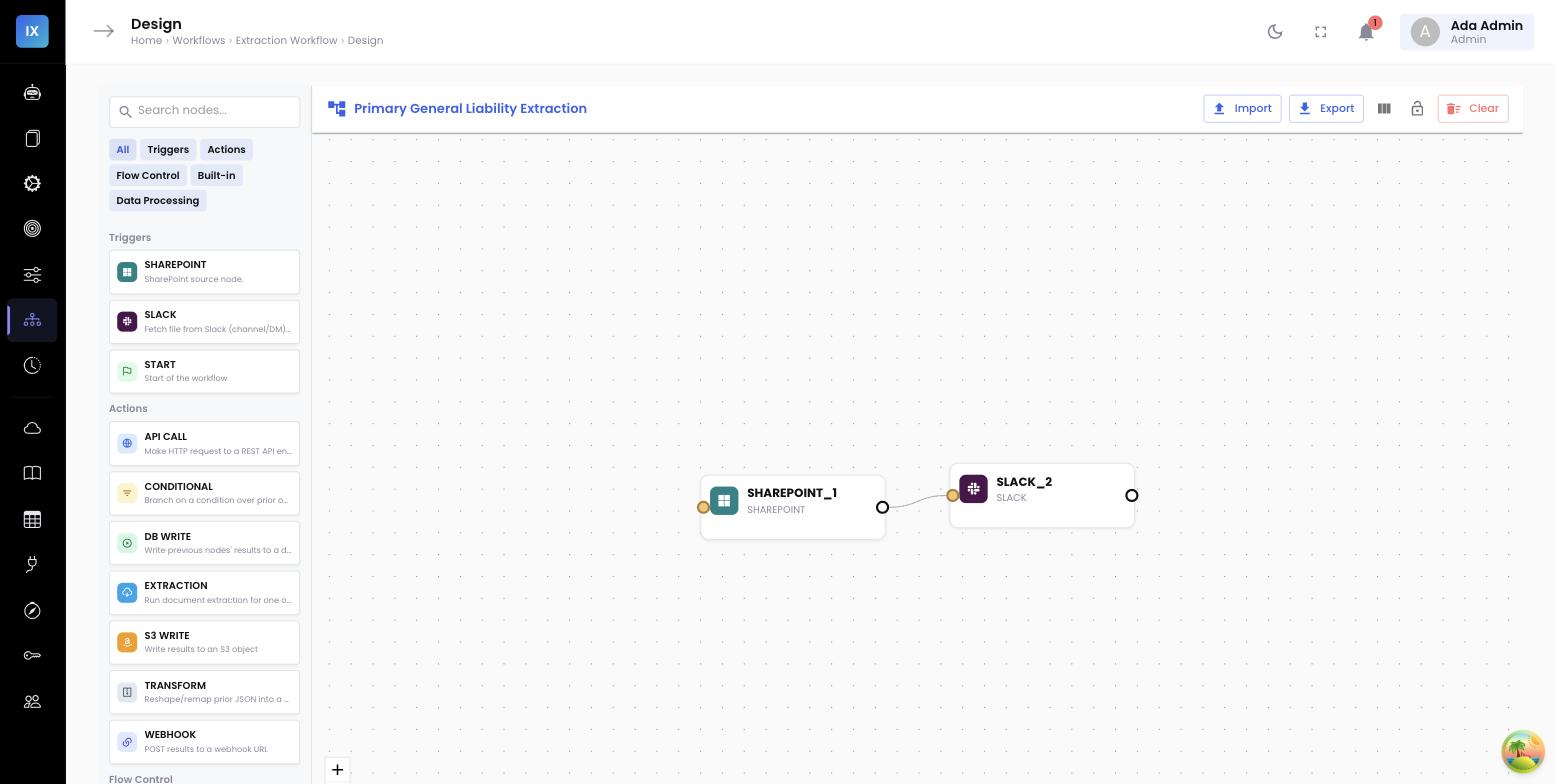
Here is the shape of a submission-intake pipeline built entirely from nodes. A source watches for new documents, the extraction agent turns them into structured fields, a transform reshapes and standardizes those fields, a conditional inspects confidence, and delivery nodes fan the result out to every system that needs it.
flowchart LR
    S["SOURCE
SharePoint / shared mailbox"] --> E["EXTRACTION
submission agent"]
    E --> T["TRANSFORM
map + standardize fields"]
    T --> C{"CONDITIONAL
confidence ≥ threshold?"}
    C -- "Yes" --> W["WEBHOOK
POST to PAS"]
    C -- "Yes" --> D["DB_WRITE
data warehouse"]
    C -- "Yes" --> O["S3
archive parsed packet"]
    C -- "No / low confidence" --> R["REVIEW QUEUE
human verifies, then resumes"]
    R --> W
Every box on that diagram is a node you dragged onto the canvas and configured with a form — not a service you deployed. The arrows are the data flow, and the platform guarantees them: if the PAS webhook times out, the run retries with backoff; if it stays down, the run parks and alerts rather than dropping the submission on the floor.
A real P&C example: the broker submission email
Walk through what happens when a broker emails a new commercial-auto submission to your intake address. The packet is the usual mess: a cover email with the requested effective date and target premium in the body, an ACORD 125 application PDF attached, a driver schedule as an Excel file, and three loss-run PDFs from the expiring carriers.
- Source. The mailbox source node sees the new email, pulls every attachment plus the email body, and starts a run.
- Extraction. The submission agent classifies each document, extracts the named insured, FEIN, requested coverages and limits, the driver schedule as line items, and the prior-carrier loss history — combining the email body and the attachments into one structured record.
- Transform. A transform node renames fields to the PAS’s vocabulary, standardizes the state to a two-letter code, coerces the premium to a number, and normalizes coverage names against your glossary.
- Conditional. A conditional checks the extraction confidence and whether the FEIN validated. High-confidence, fully-validated submissions flow straight through; anything below the bar is diverted.
- Delivery. Clean submissions are POSTed to the PAS as a new submission record, written to the data warehouse for analytics, and the parsed packet is archived to S3.
The clerk who used to spend fifteen minutes per submission re-keying now sees only the exceptions — and even those arrive pre-extracted, needing a glance and a click rather than a retype.
The nodes that replace your glue code
The four delivery-and-shaping node types are exactly the ones teams normally hand-write. In InsightXtract they are configured, versioned, and observable.
Transform
Renames fields, changes types, applies glossary and lookup standardization, and computes derived values — the reshaping layer that would otherwise be a Lambda. It is where "Georgia" becomes "GA" and "$1,000,000 CSL" becomes a clean limit of 1000000.
Conditional
Branches the run on any field — confidence score, a validation flag, a coverage type, a premium threshold. This is the node that keeps a low-confidence submission out of your system of record until a human has looked at it.
Webhook
POSTs the record to any HTTP endpoint — your PAS API, a claims system, an internal microservice — with configurable headers, auth, retries, and timeout handling built in.
DB Write / S3
Lands the structured record in a database (your data warehouse, an operational store) or writes the parsed output and source documents to object storage for archival and audit.
The low-confidence branch: automation you can trust
Straight-through processing is only responsible if it knows when not to be straight-through. The conditional node is what makes automation safe to turn on. Say your policy is that any submission where the FEIN fails a checksum, or where overall extraction confidence dips below 0.85, must be seen by a person before it can create a record in the PAS.
You encode that as a single conditional. On a clean Summit Logistics renewal where every field is confident and the FEIN validates, the run takes the “yes” path and posts to the PAS untouched. On a smudged fax where the FEIN is ambiguous, the run takes the “no” path into the review queue — a person confirms the one questionable field, and the run resumes from that point, flowing on to the same webhook and DB-write nodes as if it had never stopped. You get the throughput of automation with the safety of a human check exactly where it is warranted, and nowhere it is not.
Why this is safer than hand-rolled integrations
A visual pipeline is observable by default. Every run shows which node it is on, what each node received and emitted, and where it failed or paused. There is no hidden Lambda, no undocumented cron, no single engineer who is the only one who understands the flow.
Every run, visible after the fact
Because the pipeline is a first-class object, so is its history. The execution history lists every run with its status, duration, the document that triggered it, which branch it took, and where it delivered. When someone asks “did the Meridian Freight submission make it into the PAS this morning?” you do not go spelunking through server logs — you open the run, see it took the straight-through path, and see the 200 response the PAS returned.
Why this matters to operations and IT
- No integration backlog. Connecting a new source or a new destination is dragging a node and filling a form — not a sprint of engineering and a queue behind the rest of the roadmap.
- Change without redeploys. Raising a confidence threshold, adding a second delivery target, or re-pointing a webhook is a configuration edit, versioned and reversible — not a code change and release.
- Safe straight-through processing. The conditional node keeps low-confidence records out of your system of record and in front of a human, so you can automate the 90% without risking the 10%.
- Observability built in. Every run is inspectable end to end, which turns “where did it go wrong?” from an investigation into a lookup.
Related: keep the delivery stable →
Once the pipeline is delivering, you want the records to land in your PAS and stay stable across changes. See straight-through to your PAS and claims system for how output contracts and version-pinning keep those integrations from breaking.