
Ask any chief risk officer what keeps an AI data pipeline honest and you will eventually land on the same principle that governs the general ledger: no single person should control a transaction end to end. In finance it stops fraud. In an agentic extraction pipeline it stops something subtler but just as damaging — the quiet blurring of the line between fixing a value and changing the machine that produces the value. If those two acts are indistinguishable, your entire audit trail becomes negotiable.
Most extraction tools ship with a login and, if you are lucky, an admin flag. Everyone who can touch a record can, in practice, touch everything: the prompts, the rules, the glossaries, the version that goes live. That is fine for a demo and unacceptable for regulated P&C work. When a claims reviewer corrects a paid-loss figure and an auditor asks “could that same person have also altered how the agent reads every future loss run?”, the answer has to be a flat, provable no. InsightXtract is built so it is.
Two kinds of change, two kinds of authority
The core idea is small and load-bearing. There are two fundamentally different actions in the platform, and they must never collapse into one permission:
- Changing data — correcting a single extracted value on a single document, because the human found the machine wrong on that instance. This is a per-record decision, fully captured in the audit trail.
- Changing the agent — editing prompts, post-processing rules, glossaries, or the output schema, and publishing a new version that will affect every document processed from that point forward. This is a systemic change with blast radius.
A pipeline is trustworthy only when different people hold those two authorities. InsightXtract expresses this through five roles, each mapped to a deliberately narrow set of permissions.
flowchart LR
    subgraph Roles
      AD["Admin"]
      BU["Builder"]
      OP["Operator"]
      RV["Reviewer"]
      VW["Viewer"]
    end
    subgraph Permissions
      P1["Correct field values
(change data)"]
      P2["Edit agent config
prompts / rules / glossaries"]
      P3["Publish new
agent version"]
      P4["Run / re-run
extraction"]
      P5["View records
+ audit trail"]
      P6["Manage users
& roles"]
    end
    VW --> P5
    RV --> P5
    RV --> P1
    OP --> P5
    OP --> P4
    BU --> P5
    BU --> P4
    BU --> P2
    AD --> P5
    AD --> P4
    AD --> P1
    AD --> P2
    AD --> P3
    AD --> P6
Notice what the diagram does not connect. The Reviewer reaches Correct field values but never touches Edit agent config or Publish new agent version. The Builder can rewrite prompts and rules but cannot correct an individual record or publish a version to production. Only the Admin spans the config-and-publish path, and even then publishing is a distinct, gated act. Every arrow that is missing is a safeguard.
The role × permission matrix
The same relationships, laid out as the access matrix an auditor or CRO will actually want to see. This is the contract the platform enforces on every request, not a description of good intentions.
| Capability | Admin | Builder | Operator | Reviewer | Viewer |
|---|---|---|---|---|---|
| View records & audit trail | ✓ | ✓ | ✓ | ✓ | ✓ |
| Run / re-run extraction | ✓ | ✓ | ✓ | — | — |
| Correct field values & classification | ✓ | — | — | ✓ | — |
| Approve / reject a review | ✓ | — | — | ✓ | — |
| Edit agent config (prompts, rules, glossaries, schema) | ✓ | ✓ | — | — | — |
| Publish a new agent version | ✓ | — | — | — | — |
| Manage users & role assignments | ✓ | — | — | — | — |
Two rows carry most of the weight. Correct field values is available to the Reviewer but not the Builder. Edit agent config is available to the Builder but not the Reviewer. That single asymmetry is the whole point: the hands that touch the data and the hands that touch the agent belong to different people, and the platform will not let one impersonate the other.
What the console shows each role
Separation of duties is only real if it is visible and enforced at every layer — not just hidden behind a disabled button. In InsightXtract the navigation itself is role-filtered. A Reviewer signs in and sees the review queue and the records; the Agent, Rules, and Versions sections simply are not there. A Builder signs in and sees the configuration surface but not the approve/publish controls. Same product, two different maps of what is possible.
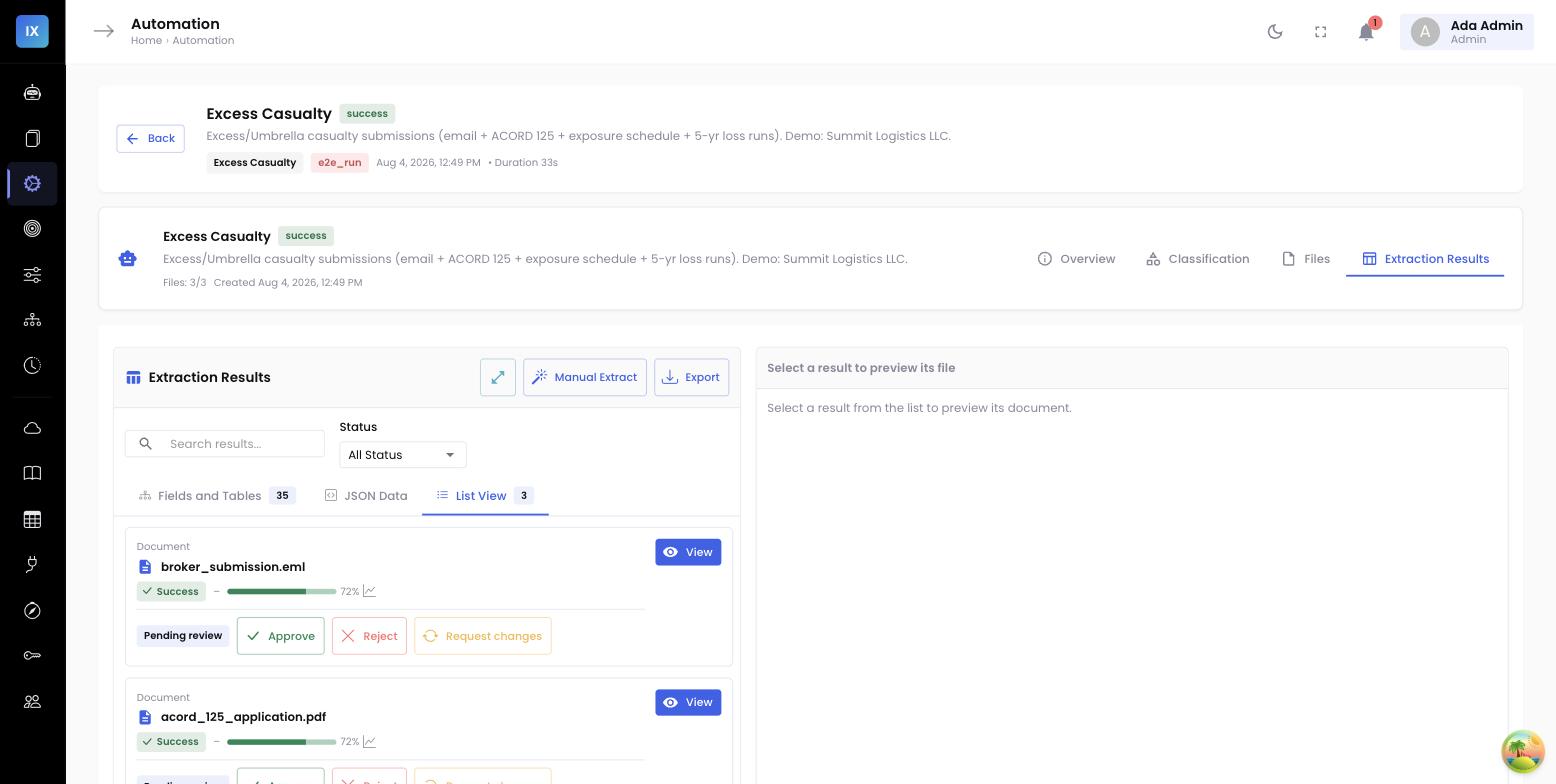
Roles are assigned in one place, by the Admin, on the Users screen. Every member of the pipeline maps to exactly one role, and the assignment itself is part of the audit record — who granted which role, and when. There is no ambient “power user” state that accumulates permissions by accident.
A claims example: correct the FNOL, don’t touch the agent
Walk through a concrete P&C case. A first notice of loss (FNOL) comes in and the extraction agent reads the date of loss as the date the notice was filed rather than the date the incident actually occurred — a common trap when a form repeats several dates. A claims reviewer catches it, opens the record, and corrects the field. The correction is stored with the old value, the new value, a reason, the reviewer’s name, and a timestamp. Perfectly within the Reviewer’s authority.
Now suppose that same reviewer, frustrated at seeing the pattern twice, tries to open the extraction agent and rewrite the prompt so future FNOLs read the date differently. The platform stops them. They do not have the Edit agent config permission, and the request is refused before it reaches the configuration store.
The right move — teaching the agent to read the date correctly for every future FNOL — still happens, but it travels the governed path. The reviewer’s correction, and others like it, accumulate as evidence. A Builder later reviews that evidence, updates the prompt or a post-processing rule, and an Admin publishes a new agent version. The improvement is real, but it is deliberate, attributable, and approved — not a side effect of one frustrated click during review.
The operator boundary: run it, don’t ship it
Separation of duties also covers the space between using the agent and changing it. An Operator’s job is throughput — upload a batch of submissions, run extraction, re-run a document that failed, keep the queue moving. What an Operator cannot do is publish a new agent version. That distinction matters more than it first appears.
Consider month-end, when the pressure to clear a backlog is highest. An Operator can run every pending submission through the current, approved agent version as many times as needed. But the temptation to “just tweak the rule and push it live so the batch goes through clean” is exactly the shortcut that destroys reproducibility — and it is precisely what the Operator role cannot do. Publishing stays with the Admin, gated and deliberate, no matter how busy the queue gets. Speed lives in the Operator role; change control lives elsewhere.
Why one role per action beats one super-admin
It is tempting to give trusted people every permission “so they aren’t blocked.” But a pipeline where anyone capable of correcting data is also capable of reconfiguring the agent cannot answer the auditor’s core question — was this a data fix or a system change? Narrow roles are not bureaucracy; they are what makes every action interpretable after the fact.
Why this matters to the business
- Corrections stay corrections. Because the Reviewer role cannot edit the agent, a data fix can never be a disguised systemic change — which is the foundation the whole audit trail rests on.
- Change control is provable. Every configuration edit is attributable to a Builder and every published version to an Admin, so “who changed how we read this document” always has a name and a timestamp.
- Least privilege by default. Each person holds exactly the authority their job needs and nothing more, shrinking both the accidental-mistake surface and the insider-risk surface.
- Cleaner exams and SOC reviews. A role × permission matrix the platform actually enforces is direct evidence of a controlled process — the kind of control auditors and reinsurers expect to see documented.
Related: keeping the outputs stable →
Once change control is enforced, the next question is how those governed changes reach downstream systems without breaking them. See keeping outputs stable while the models keep changing — how version pinning lets underwriting improve the agent without disturbing a live integration.