
Ask a legacy IDP vendor to support a new form — a broker’s bespoke exposure template, a new ACORD variant, a carrier-specific loss run — and the clock starts: collect samples, label them, train or fine-tune a model, validate, deploy. Weeks, and a data-science team, per document type. For a specialty carrier facing dozens of document types across lines of business, that’s the real bottleneck — not the extraction itself, but the cost of teaching the system each new thing.
InsightXtract removes that bottleneck by making an extraction agent a configuration, not a codebase. A document class — its fields, tables, reference data, rules, and model settings — is authored in a six-tab builder and stored as YAML. The same agentic engine runs every class; what changes per document type is the config, and the people who own the domain can write it.
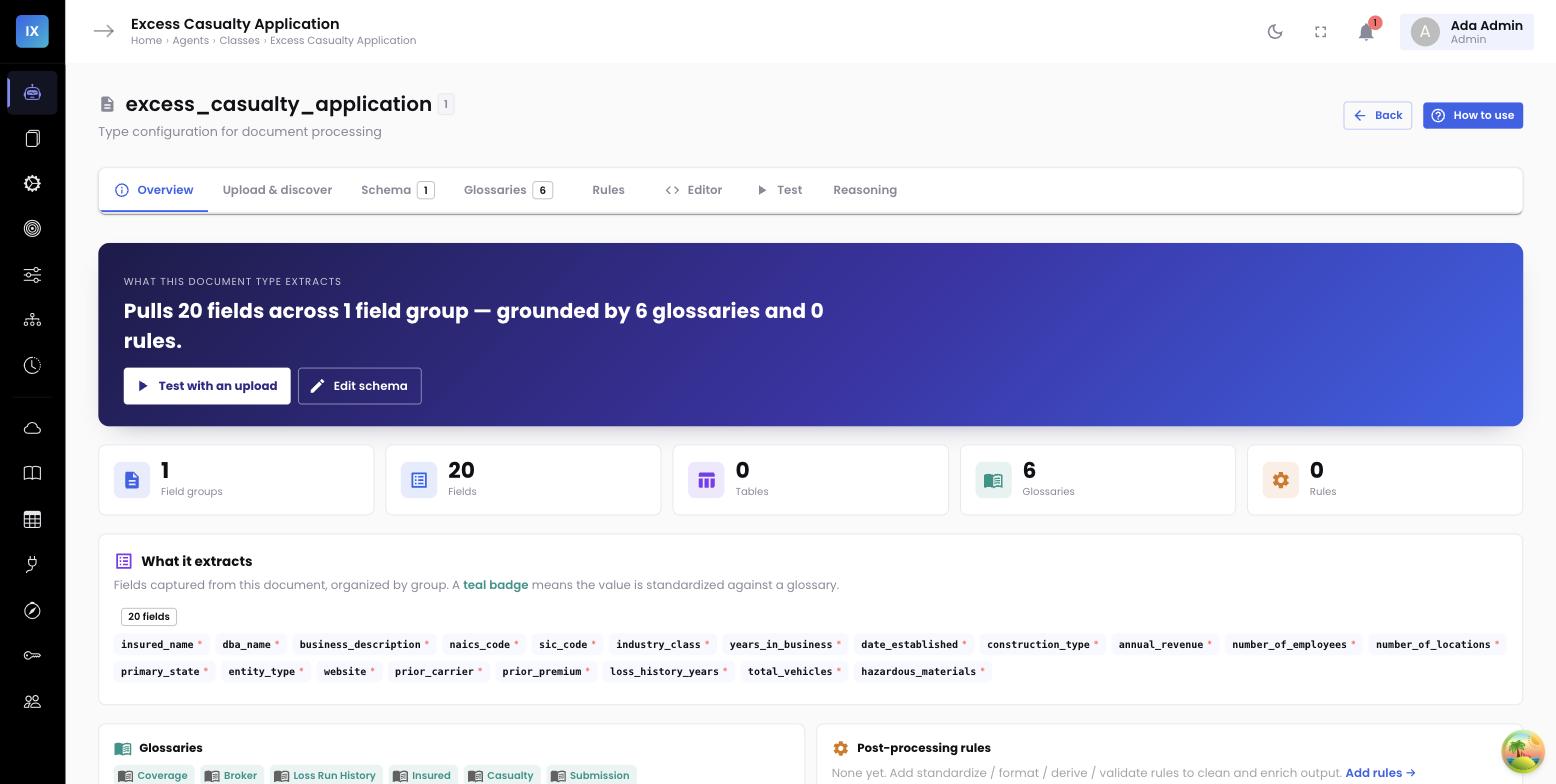
The six-tab builder
One workspace to go from a blank class to a published, tested agent.
AI-assisted discovery: start from a draft, not a blank page
The slowest part of defining a new document type is enumerating everything worth extracting. The builder’s discover step does the first pass for you: it reads a sample and returns a proposed set of fields and tables — with types and suggested reference data — that you accept, rename, or drop. You’re editing an AI’s draft of the schema, which is far faster than authoring one from scratch and easy for a domain expert to get right.
Everything is YAML underneath
The visual tabs write a single declarative spec. That’s what makes the builder more than a form: the config is portable, versionable, and reviewable, and power users can drop into the Editor tab at any time.
class_name: excess_casualty_application
fields:
- { name: insured_name, type: string, required: true }
- { name: insured_state, type: string, glossary: us_state_codes }
- { name: annual_revenue, type: currency, prompt: "Total annual revenue for the most recent year" }
tables:
- { name: exposure_schedule, columns: [state, payroll, class_code] }
post_processing: { standardize: […], validate: […] }
ai_config: { provider: claude, temperature: 0.1 }
Because it’s config, behavior changes without engineering
The deeper point isn’t just defining a class without code — it’s tuning one. The extraction rules, the reference data, the validation invariants, the model choice: all of it lives in the spec, so adjusting how the agent behaves on a document type is a config edit in the UI, versioned and published, not a change to the engine.
sample] --> AI[AI discovers
fields & tables] AI --> S[refine schema
+ per-field hints] S --> G[bind glossaries
& lookups] G --> R[add rules
& invariants] R --> T[test on a doc] T --> P[publish] P -.versioned YAML.-> ENG[same agentic
engine runs it]
The settings, by name
“Config-driven” is easy to claim, so here is the inventory. Every one of these is set on a document class in the console and versioned with it — no release, no code.
| Decides | Settings |
|---|---|
| How a document is read | extraction_mode (vision · OCR text · plain text), layout_text, enable_vision, image_dpi, max_pages |
| Which model does what | perception_model, classifier_model, extraction_model, escalation_model — a small domain model for the bounded work, a frontier model for the rest |
| What is verified | label_check (off · warn · strict), min_confidence |
| What is computed | 14 post-processing rule kinds — derived_fields, derived_tables, project_table, infer (13 named inferences), merge_rows, dedupe_rows, standardize, format, validate and more |
Full reference in the extraction configuration docs, including which defaults we ship and why we chose them.
One engine, many configs
Every document class — ACORD, loss run, broker email, exposure workbook — runs on the same perceive → plan → extract → validate → reflect engine. Adding a class doesn’t add a model to train or a pipeline to maintain; it adds a spec. That’s how a carrier goes from a handful of supported documents to dozens, across lines of business, without a proportional engineering cost.
Why it matters
- Days, not weeks, per document type. No labeling, no training run — upload, refine, test, publish.
- Domain experts own the config. The people who know what a field means — underwriters, ops leads — author it, instead of translating requirements to a data-science backlog.
- Change management built in. Specs are versioned and published, so a change is reviewable and reversible — not a silent model update.
- No proliferation of pipelines. One engine runs every class, so scaling coverage doesn’t multiply the systems you operate.
Read next →
See what the config drives: output contracts and declarative post-processing. And what happens to a document with no class at all: freeform extraction from context.